 Voltsy
iPhone Battery Care App with an Unplug Reminder at 80%
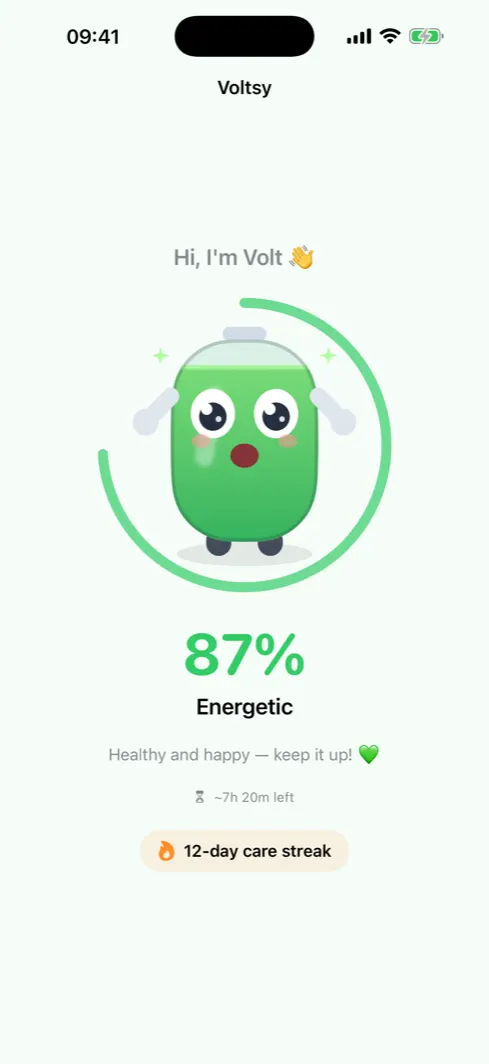
Voltsy is a free iPhone app built around Volt, a battery character who reacts to your charge level, nudges you to unplug near 80%, and never invents a battery health number.

Honest about what iOS allows
Most iPhone battery apps put a health percentage on the screen. iOS does not give any of them that number. Here is the whole of what an app is handed, and what it is not.
- Charge level Reported in steps of about five percent since iOS 17. This is what fills Volt's body.
- Charge state Charging, unplugged or full. This is what triggers the unplug nudge.
- Low Power Mode On or off. Volt takes a Power Nap when it is on.
- System thermal state Nominal, fair, serious or critical. Not a temperature in degrees.
- Battery health percentage Private to iOS. Settings has it. No app does.
- Cycle count and capacity Also private. An app that prints one is estimating.
Read the full breakdown of iPhone battery health and what apps can see.
The zone Volt cares about
Charging to full pushes a lithium ion cell into a high voltage state, and running it near empty stresses it from the other side. The middle is the cheap place to live.
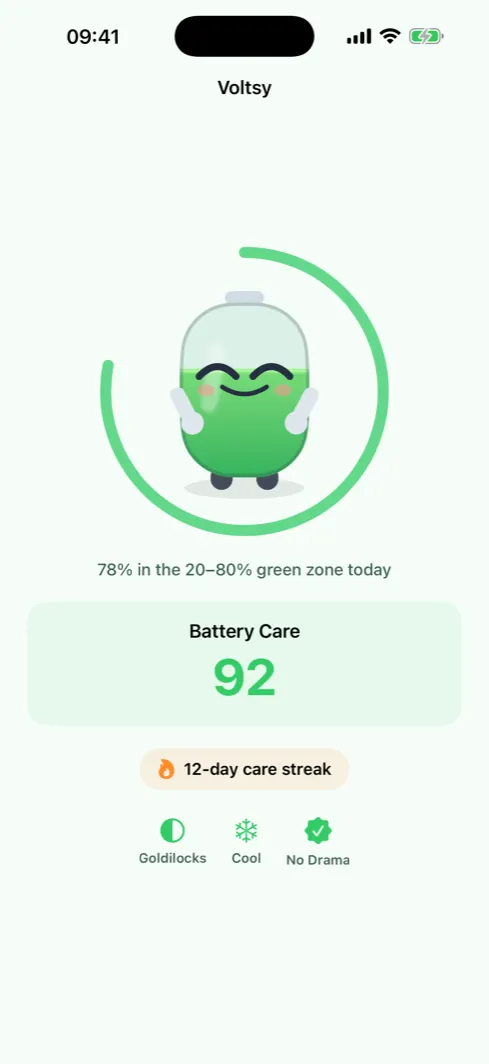
Voltsy draws a ring that fills with the share of today you spent inside that band, and awards the Goldilocks badge on a day you stayed inside it for at least 90% of the readings.
What Voltsy actually does
A character instead of a dashboard
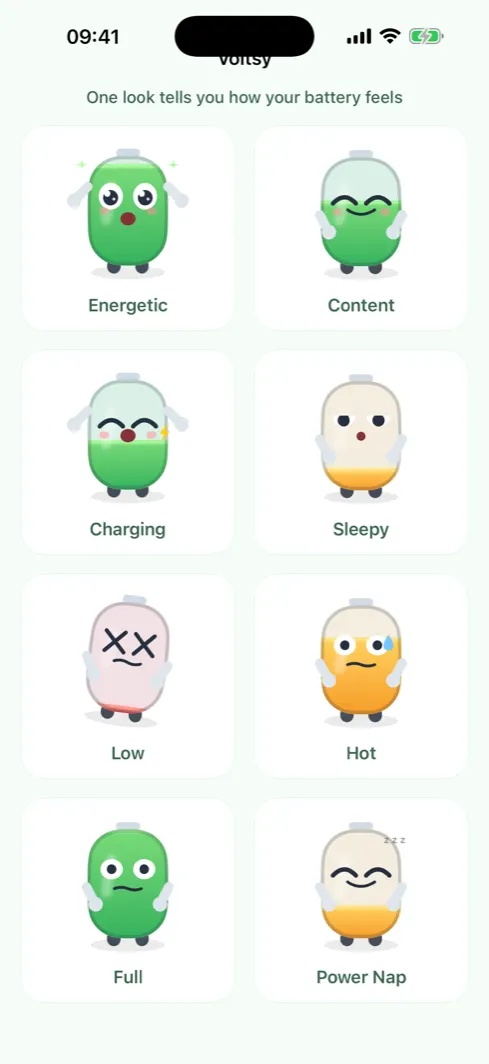
Volt has eight moods driven by real readings: energetic, content, charging, sleepy, low, hot, full and Power Nap. His body fill is your charge level, so one look is enough.
Three alerts, each fired once
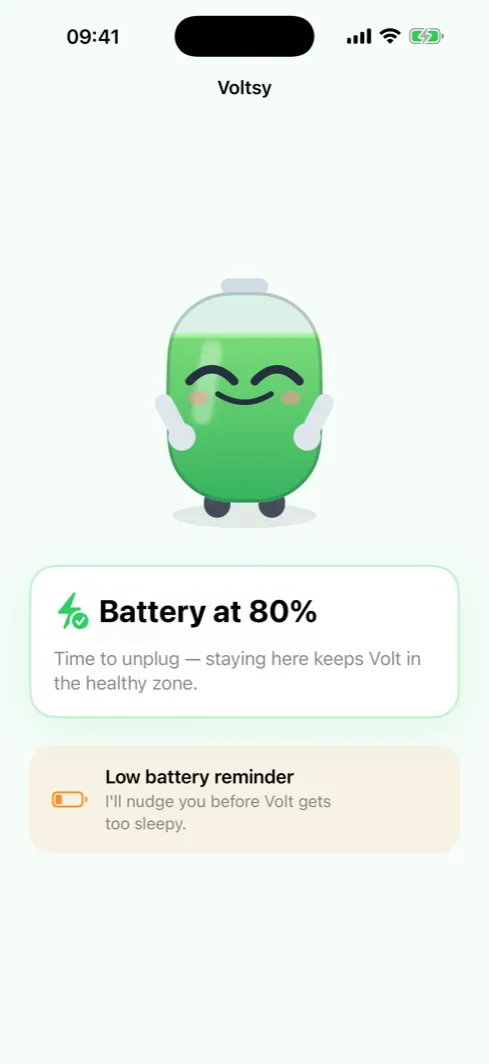
Unplug when charging crosses the upper threshold, a heads up when you drop through the lower one, and a note when the system thermal state climbs into the serious range. Each fires on the crossing edge only, so a held level never nags.
A daily care streak
A healthy day extends the streak. A bad day spends a Power Nap freeze instead of breaking it. Five badges recognise specific habits, from staying in the zone to not sitting at 100% for hours.
Charge history and a Live Activity
A line of your charge level over time, seven days on the free tier and 90 with Pro. While you charge, a Live Activity on the Lock Screen and in the Dynamic Island shows the percentage and an estimated time to the target.
The Battery Care score, and what it is not
Voltsy scores your habits, not your hardware. It starts at 100 and subtracts for time spent hot, for discharges that end near empty, and for hours held at full beyond a one hour grace. Until Voltsy has watched about three charge cycles of your own use, it shows no number at all rather than a made up one.
If you want your battery's measured condition, that lives in Settings, then Battery, then Battery Health and Charging. Voltsy points you there inside the app.
Who it is for
You charge overnight and worry about it
Sleeping plugged in is not the problem. Sitting at 100% for hours is the cost, and Voltsy counts those hours honestly instead of scaring you about them.
Your iPhone has no Charge Limit setting
The stop at 80% option arrived with iPhone 15. On an older iPhone a nudge at the threshold is the closest thing available.
You bounce between 3% and a frantic charge
The low alert and the No Drama badge push toward top ups instead of deep drains.
You are tired of fake numbers
Voltsy labels every figure as an on device estimate and shows nothing when it does not have enough data to be honest.
Keep reading
Frequently asked questions
Can Voltsy show my iPhone's real battery health?
No, and no other iPhone app can either. iOS does not hand third party apps Apple's measured battery health percentage, cycle count or capacity. Voltsy reads four things: the charge level, whether you are charging or unplugged, whether Low Power Mode is on, and the system thermal state. For the official figure open Settings, then Battery, then Battery Health and Charging.
Is Voltsy free?
Yes. Voltsy is free to download and includes Volt, the charge alerts, the daily care streak, the badges, the care tips and seven days of charge history. The free version shows ads on the Care Tips and Charge History screens. Voltsy Pro is a one time purchase, 4.99 US dollars in the United States, that removes the ads, extends the history to 90 days, lets you set your own alert thresholds and gives unlimited Power Nap streak freezes. There is no subscription.
Does Voltsy show my battery percentage?
While your iPhone is charging, yes: the Live Activity on the Lock Screen and in the Dynamic Island shows the percentage and an estimated time to the target. Voltsy's Home Screen widget shows Volt, whose body fill is your charge level, without printing the number. If you want the number itself on the Home Screen, Apple's own Batteries widget is the right tool.
Why does Voltsy read a different number than the status bar?
Since iOS 17 the system reports the charge level to apps in steps of roughly five percent, so Voltsy may read 80% while the status bar shows 78%. That is the operating system rounding, not a fault in the app, and no app can work around it.
What is the 20% to 80% zone?
Charging to full puts a lithium ion cell into a high voltage state, and running it near empty stresses it too. Time spent between roughly 20% and 80% is the gentlest on the battery. Voltsy draws a ring that fills with the share of today you spent inside that band, and nudges you to unplug when you charge past the upper threshold.
Does Voltsy nag me?
An alert fires only on the crossing edge, so a level that sits where it is never triggers a second notification, and a cold start on an already full or already low battery triggers nothing at all. There are three alerts in total: unplug at the upper threshold, a heads up at the lower one, and a note when the system thermal state climbs into the serious range.
Does Voltsy collect my data?
There is no account and no server. Your readings, streak and history stay on your iPhone, plus a private app group container so the widget and Live Activity can render. The free version serves ads through Google AdMob and asks for consent where that is required; Voltsy Pro removes them. The privacy policy has the detail.