 Voltsy
A Reminder to Unplug Your iPhone at 80%
Before you install anything, check whether your iPhone can simply stop at 80% on its own. If it can, that beats every reminder. If it cannot, here is what a nudge is worth.
Why 80% is the number people pick
The last stretch of a charge holds a lithium ion cell at its highest voltage, and the longer it sits there the faster it ages. Stopping around 80% skips that part. The same logic applies at the bottom: a discharge that ends near empty is hard on the cell, which is where the matching 20% floor comes from.
First: does your iPhone already do this?
iPhone 15 and later
Settings, then Battery, then Charging. Choose a ceiling. In iOS 18 you can pick 80, 85, 90, 95 or 100 percent, and the phone stops there without asking you anything. It resumes if the level drops to about 75% and occasionally runs to full to keep its own estimate accurate.
iPhone 14 and earlier
Settings, then Battery, then Battery Health and Charging, then Optimized Battery Charging. The phone learns your routine, holds near 80% overnight and completes the charge before you usually get up.
Be honest with yourself here. If Charge Limit is available on your iPhone, it is strictly better than a notification: it acts while you sleep, it needs no attention, and it cannot be ignored. A reminder app is the second best option, not the first.
Where a reminder still earns its place
- An iPhone without Charge Limit. The ceiling setting arrived with iPhone 15. Everything older has Optimized Battery Charging, which only helps for long, predictable overnight charges.
- Daytime top ups. Optimized Battery Charging does nothing for the half hour you plug in at your desk. That is exactly when a nudge lands.
- Days you want the full charge. A hard limit means planning ahead before a long trip. A reminder lets you decide in the moment.
- The other end. Neither iOS setting warns you on the way down. A low alert does.
How Voltsy's alert behaves
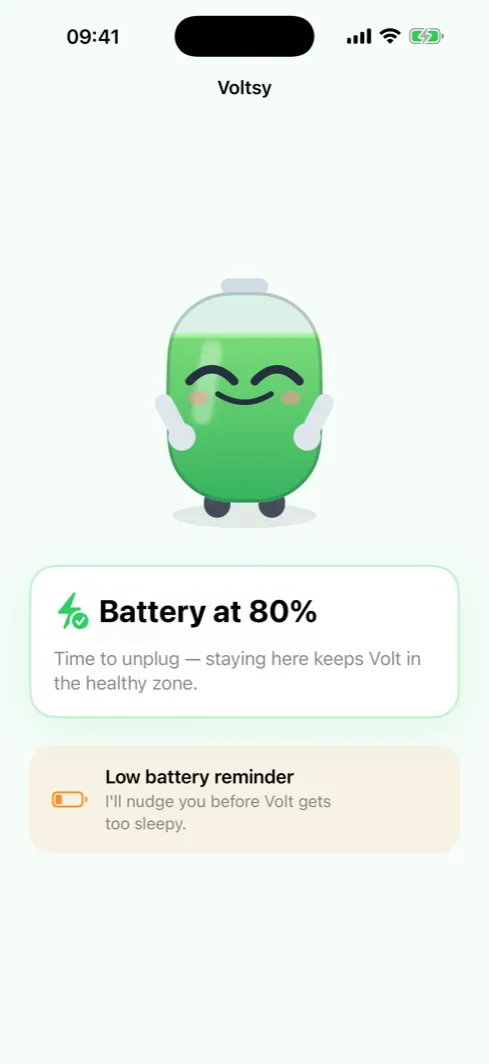
It fires on the crossing, once
Voltsy compares each reading to the one before it. The unplug alert fires the moment a charging battery crosses your upper threshold, and then not again while it stays there. Opening the app on an already full battery triggers nothing, because there was no crossing to see.
Three alerts, not a stream
Unplug at the upper threshold. A heads up when an unplugged battery drops through the lower one. A note when the system thermal state climbs into the serious range, which is the moment heat is actually worth acting on.
Free thresholds, and your own
The free version uses fixed thresholds of 80% and 15%. Voltsy Pro, a one time purchase, lets you set both yourself, so a 90% ceiling or a 25% floor is a setting rather than a wish.
One caveat worth knowing: since iOS 17 apps read the charge level in steps of about five percent, so the nudge lands at the first reading at or above your threshold, not at the exact percent your status bar shows.